|
|

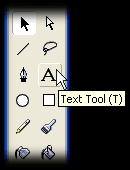
This tutorial illustrates how to determine and format today's date using the Date object in Flash™ 5 and assumes that you are somewhat familiar with the Flash™ workspace. In the sample code that complements this tutorial, the date is formatted in full text (e.g. Wednesday, January 1, 2003), YYYYMMDD (e.g. 20030101), dd-MMM-yyyy (e.g. 01-JAN-2003), and dd/mm/yyyy (e.g. 01/01/2003). Most other formats can be derived from one of these. 1. Select the Text Tool.
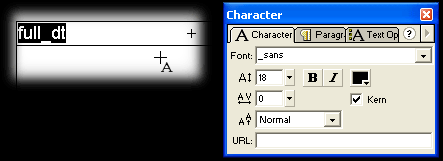
2. Add a text box to your frame in the position in which you want the date to be displayed and set your font options.
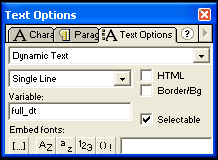
3. In the Text Options dialog, set the text type to Dynamic Text and enter a variable name.
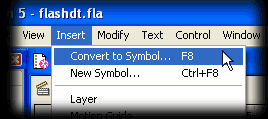
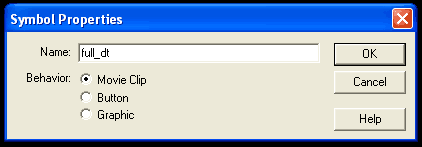
4. From the Insert menu choose Convert to Symbol. This will bring up the Symbol Properties dialog box.
5. Give the Movie Clip symbol a name.
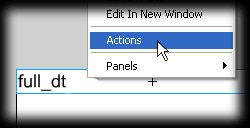
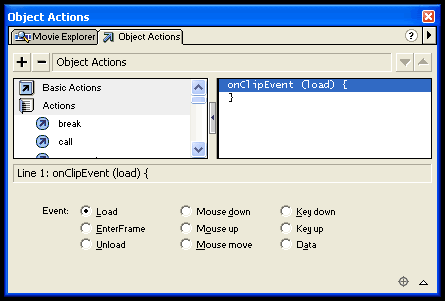
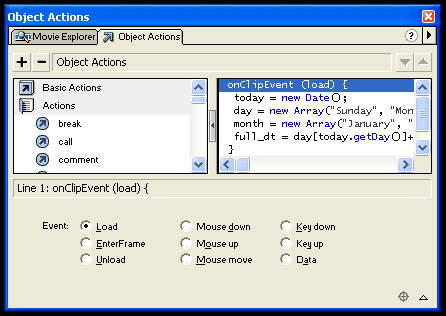
6. Right-click on the new Movie Clip and select Actions. This will bring up the Object Actions dialog box.
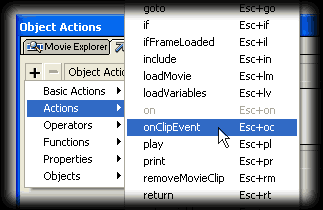
7. Select onClipEvent from the Actions category.
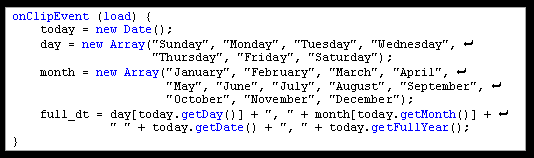
8. Now we are ready to add the final snippet of code.
9. The steps to build our date string are as follows:
10. The code shown above can either be copied and pasted directly to the onClipEvent action in the Object Actions dialog box (code is available in the sample code package that complements this tutorial - see code.txt) or can be built from the ground up by those of you familiar with working with Flash™ ActionScript.
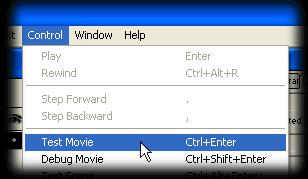
11. Close the Object Actions dialog box. From the Control menu, select Test Movie.
12. ...And you are done! |
 |
| Copyright © 2001-2005 sebastianfernandes.com | Terms of Use |
|
|